
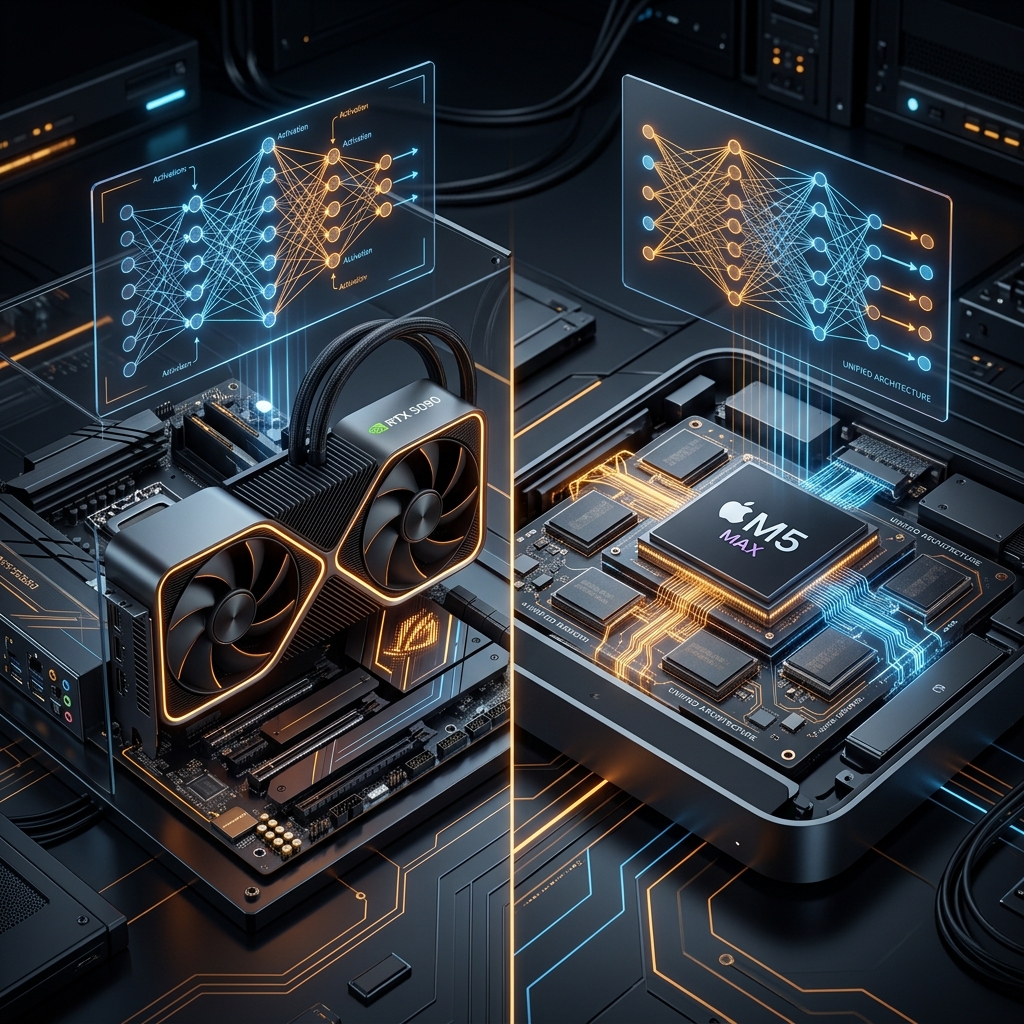
The artificial intelligence landscape of 2026 is defined by a distinct convergence of modalities and an expansion of reasoning architectures that challenge the physical limits of computational hardware. Native multimodality—the capability of a foundational model to ingest, process, and output interleaved sequences of text, images, audio, video, and localized environmental data within a singular, unified latent space—has become the industry standard for frontier systems. Concurrently, the operational desire for local, air-gapped execution has accelerated across the developer ecosystem, driven by non-negotiable demands for absolute data privacy, zero-latency inference, the elimination of metered API costs, and persistent agentic experimentation. But how does one configure a desktop or laptop to run these next-generation architectures offline?
Quick Answer:
Yes, you can run high-performance native multimodal models locally in 2026, but frontier-class proprietary models like GPT-5.4 and Gemini 3.1 Pro remain cloud-bound due to their multi-trillion parameter scale. For local execution, the open-weight ecosystem—led by Google’s Gemma 4 and Alibaba’s Qwen 3.6—delivers native multimodality when paired with appropriate consumer hardware (minimum 16GB VRAM for Q4 quantization).
- Best for Edge/Thin Laptops: Gemma 4 E4B (5.5GB–6GB unified memory)
- Best for Developer Desktops: Gemma 4 26B-A4B MoE or Qwen 3.5 27B (16GB–24GB VRAM)
- Best for Apple Unified Memory: Gemma 4 31B or Qwen 3.5 35B MoE on M5 Max (32GB+ RAM)
- 1. The Proprietary Reality vs. The Local Openweights Ecosystem
- 2. The Mathematics of VRAM Allocation and Quantization
- 3. Algorithmic Compression: FloE and Sparse MoE Engines
- 4. Step-by-Step Setup: Running Gemma 4 Locally
- 5. Hardware Comparison: NVIDIA Architectures vs. Apple M5 Max
- Frequently Asked Questions
- Cloud vs Local: GPT-5.4 (2.2T parameters) and Gemini 3.1 Pro (80GB+ VRAM demand) are cloud-only. Direct local execution is structurally impossible.
- Local Sweet Spot: Gemma 4 26B-A4B MoE and Qwen 3.5 27B run comfortably on single 24GB GPUs (RTX 4090/5090) or M5 MacBook Pro at Q4 quantization.
- Memory is King: Local AI is memory-bandwidth bound. KV Cache demands grow exponentially in agentic loops, requiring Turboquant llama.cpp optimizations.
- Apple M5 Max: Commands up to 128GB unified memory at 614 GB/s, running massive 70B+ models silently at 8W-35W power draws.
*Data compiled from Gemma 4 inference benchmarks and manufacturer specifications as of May 2026.
calculateTheAITechPulse VRAM Calculator
Don't guess your local hardware needs. Calculate the exact VRAM required for any open-weight model at any quantization level instantly.
Calculate VRAM → Trusted by 10,000+ local AI developers worldwide.Quick take: Local AI execution is no longer about running simple minimum viable models. With algorithmic compression like FloE and custom hardware setups, prosumers can now run near-frontier reasoning models entirely offline.
1. The Proprietary Reality vs. The Local Openweights Ecosystem
The assertion that models operating at the scale of GPT-5.4 or Gemini 3.1 Pro can be executed "locally" on consumer or enterprise edge hardware stems from a widespread misunderstanding of local interface tunneling. Applications and frameworks such as Ollama, OpenWebUI, and the Model Context Protocol (MCP) allow developers to interact with these models within a local integrated development environment (IDE) or terminal, projecting a highly convincing illusion of local execution. In reality, these interfaces function merely as sophisticated API bridges; the actual tensor matrix multiplications and computational payloads remain entirely on the remote, hyperscale infrastructure of the respective model providers.
GPT-5.4 represents OpenAI’s most capable frontier model, uniquely unifying the Codex and GPT lineages. A defining characteristic of GPT-5.4 is its native computer-use capabilities, allowing it to natively emit the specific tokens required to control interfaces and execute code. While OpenAI maintains strict opacity, analysts estimate GPT-5.4 to possess approximately 2.2 trillion parameters. Similarly, running Google's Gemini 3.1 Pro sparse Mixture-of-Experts (MoE) in a full-scale production environment demands an absolute minimum of 80GB of VRAM just to handle context offloading and continuous batching at the datacenter level.
Data reflects published benchmarks comparing cloud proprietary systems against advanced local parameters.
2. The Mathematics of VRAM Allocation and Quantization
To comprehend why frontier models remain cloud-bound and to accurately select hardware for open-weight alternatives, one must analyze the mathematical relationship between a model's parameter count, its quantization state, and the memory required to maintain conversation state, known as the Key-Value (KV) cache. The baseline calculation for required Video RAM (VRAM) is broadly defined by the sum of the stored weights, the KV cache, and the runtime activation overhead.
In full precision (FP16 or BF16), each parameter requires 2 bytes of memory. Therefore, a dense 30 billion parameter model in FP16 would require approximately 60GB of VRAM just to load the weights. Quantization mathematically compresses the model weights into lower-precision formats. In a standard 4-bit quantization (Q4), the memory required per parameter drops to approximately 0.5 bytes, allowing that same model to fit comfortably within 15GB to 18GB of VRAM.
| Gemma 4 Variant | Architecture | Context Window | Q4 Memory VRAM | FP16 Memory VRAM |
|---|---|---|---|---|
| Gemma 4 E2B | Dense + PLE | 128K | 1.5–4 GB |
10 GB |
| Gemma 4 E4B | Dense + PLE | 128K | 5.5–6 GB |
16 GB |
| Gemma 4 26B-A4B | Mixture-of-Experts | 256K | 16–18 GB |
52 GB |
| Gemma 4 31B | Dense | 256K | 17–20 GB |
62 GB |
Data derived from Google DeepMind Gemma 4 official hardware recommendations and community benchmarks.
llama.cpp, allow aggressive quantization of the KV cache itself into 8-bit or 4-bit formats (e.g. --cache-type-k bf16 --cache-type-v bf16) to fit massive context limits.
3. Algorithmic Compression: FloE and Sparse MoE Engines
The physical limitations of consumer VRAM have catalyzed groundbreaking advancements in algorithmic compression and inference engine optimization. The most significant bottleneck for deploying open-weight Mixture-of-Experts (MoE) models on local hardware is holistic VRAM capacity. While an MoE model might only activate 10% to 15% of its total parameters during any single token generation step, traditional inference engines require the entire weight payload to reside in the VRAM. If weights are fetched on demand from system RAM, PCIe bandwidth bottlenecks cause severe latency drops.
The introduction of the FloE (On-the-fly MoE Inference) system has fundamentally revolutionized memory-constrained deployment. FloE operates on the critical insight that substantial, untapped redundancy exists within the sparsely activated expert modules of an MoE architecture. By utilizing a hybrid compression scheme that integrates contextual sparsity with ultra-low-bit quantization (such as INT2 or INT1), FloE systematically reduces the internal parameter matrices of the experts, achieving a 9.3x parameter compression per expert and delivering up to a 48.7x inference speedup compared to older offloading frameworks like DeepSpeed-MII.
| Qwen Model | Parameters | Q4 VRAM Required | Ideal Hardware Profile |
|---|---|---|---|
| Qwen 3.5-4B | 4 Billion | 3.49 GB |
Mid-tier laptops, legacy GPUs |
| Qwen 3.5-9B | 9 Billion | 6.49 GB |
Consumer desktops (RTX 3060) |
| Qwen 3.5-27B | 27 Billion | 17.33 GB |
High-end single GPU (RTX 4090) |
| Qwen 3.5-35B-A3B (MoE) | 35 Billion Total | 21.48 GB |
Single RTX 4090 or Dual 16GB GPUs |
Data derived from Alibaba Qwen hardware requirements and vLLM configuration suites.
4. Step-by-Step Setup: Running Gemma 4 Locally
Configuring your machine to run advanced native multimodal models completely offline can be accomplished in minutes using streamlined modern frameworks. Follow this setup to deploy local intelligence today.
-
Install the Local Inference Manager: Download and install the active Ollama engine on Linux, macOS, or Windows using a simple terminal script:
curl -fsSL https://ollama.com/install.sh | sh
-
Download the Quantized Gemma 4 MoE Model: Pull the highly optimized 26B Mixture-of-Experts architecture from the model registry:
ollama run gemma4:26b-a4b
-
Launch llama.cpp with Context and VRAM Optimization: Command-line execution utilizing GGUF format with 128K context buffers and full GPU offloading:
./llama-cli -m gemma4-31b-q4.gguf -c 128000 -ngl 99 --flash-attn
- Hook into Local User Interfaces or Agents: Connect your local model endpoints directly to visual environments like OpenWebUI or developer CLI tools like Claude Code for completely private, zero-latency code generation.
-
Verify Native Multimodal Image Ingestion: Query the local vision-language model with an interleaved visual prompt in your terminal:
./llama-cli -m gemma4-e4b-q8.gguf --image-file chart.png -p "Analyze this memory benchmark chart"
Requires an active image attachment and a model variant featuring native PLE vision layers.
5. Hardware Comparison: NVIDIA Architectures vs. Apple M5 Max
Benchmark Config: Local execution of Gemma 4 26B-A4B and 31B variants across a 128K context window. Speeds measured in tokens per second (t/s). Prefill represents input processing; Generation represents output token decoding.
Selecting the optimal hardware platform for local AI execution in 2026 boils down to a fundamental choice between NVIDIA's raw GPU computing speed and Apple's unified memory capacity.
| Hardware Platform | Memory & Bandwidth | Gemma 4 MoE Q4 Speed | Power & Thermal Profile |
|---|---|---|---|
| NVIDIA RTX 5060 Ti | 16GB GDDR6 (288 GB/s) | 45 tokens/sec | 200W (High power draw, needs active cooling) |
| NVIDIA RTX 5090 | 32GB GDDR7 (896 GB/s) | 60 tokens/sec | 400W (Requires massive PSU and cooling) |
| Apple M5 Max | 128GB Unified (614 GB/s) | 12 tokens/sec (Prefill 300 t/s) | 8W - 35W (Silent, ultra-portable, high efficiency) |
| Raspberry Pi 5 | 8GB RAM + ZRAM Swap | ~0.5 tokens/sec | 15W (Overclocked 2.8GHz, DIY fan rig) |
NVIDIA discrete GPUs excel in absolute token generation throughput, making them ideal for high-speed local chat applications. However, Apple's unified memory architectures present a massive scaling advantage. A single Apple M5 Max MacBook Pro can allocate up to 122GB of its unified memory directly to the GPU, letting you load and execute huge 70B to 120B parameter models that would otherwise require multiple loud, power-hungry desktop graphics cards.
Known Limitations (May 2026): Trillion-parameter local execution remains experimental due to PCIe memory bandwidth bottlenecks. High context sizes in long agent loops will prompt VRAM overflows unless aggressive KV cache compression is actively deployed.
Quick Decision Tree: Which Local Hardware Setup is for You?
- The Mobile/Portable Developer: Apple Silicon MacBook Pro (M4 Pro / M5 Max) with 32GB+ Unified Memory is unmatched.
- The Budget Builder: A desktop PC with a single NVIDIA RTX 5060 Ti (16GB) to run Gemma 4 E4B or Q4 26B MoE at 45+ tokens/sec.
- The Professional AI Agent Lab: A dual-GPU setup pooling VRAM (e.g., RTX 4080 + RTX 5060 Ti) to command 32GB of cumulative VRAM.
- The Deep Researcher: 128GB Apple Studio or custom multi-card desktop for running 70B to 120B parameter models.
- The Extreme Tinkerer: Raspberry Pi 5 with stacked fans and swap memory, executing E2B/E4B edge variants for lightweight offline environments.
