
Every week, the same question floods local AI forums: Should I buy a MacBook or build a PC for running AI models locally? It sounds simple — and yet it's one of the most nuanced hardware decisions in consumer tech right now. The honest answer isn't "Mac" or "PC." The honest answer is: it depends entirely on the size of models you want to run.
By 2026, the open-weight model ecosystem has crossed a threshold of genuine utility. Llama 3.3 70B matches GPT-4 quality for coding. Qwen 2.5 32B runs comfortably in 24GB of VRAM. DeepSeek 671B — a 671-billion parameter Mixture of Experts monster — runs on a single Mac Studio at a usable 28–32 tokens per second. These aren't hobbyist toys. They're production-grade tools. And choosing the wrong hardware for your specific model tier is an expensive mistake that can cost you $2,000–$4,000 in the wrong direction.
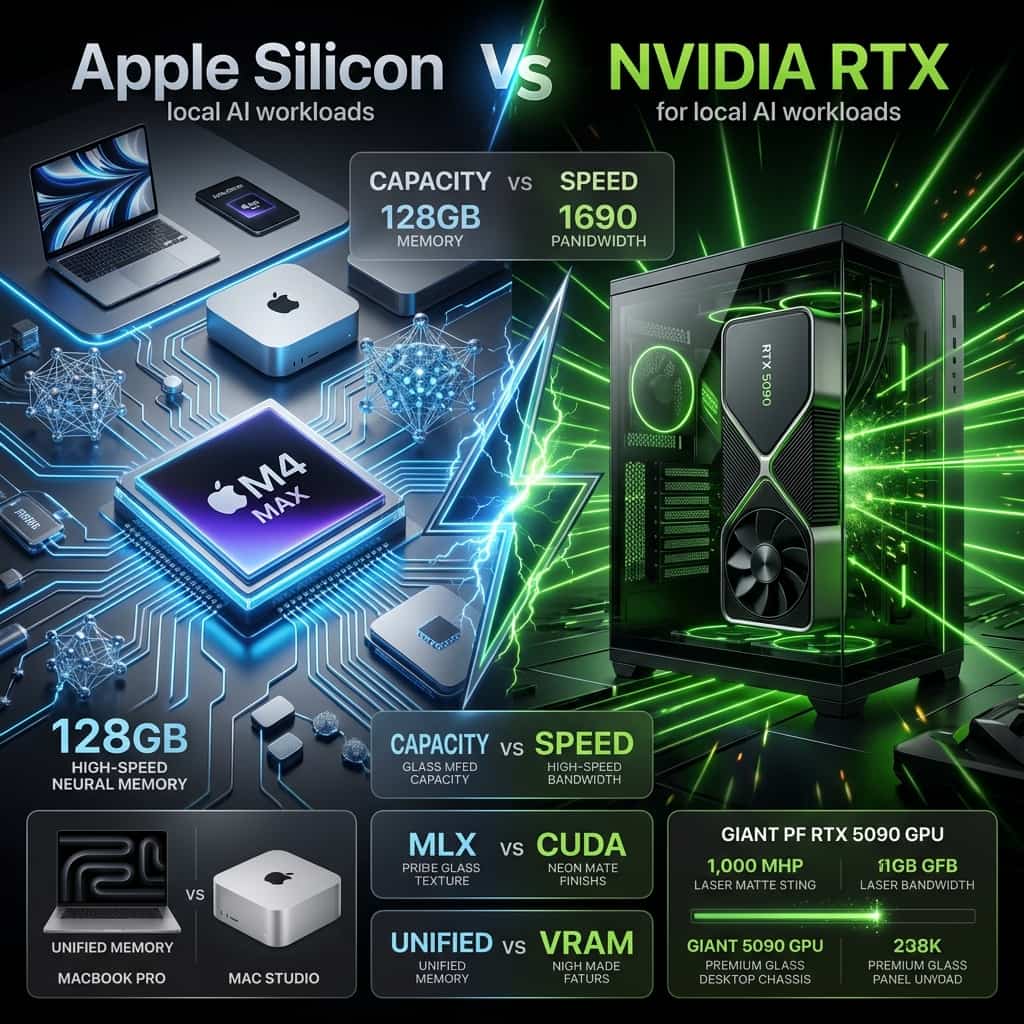
This guide cuts through the marketing noise. We'll benchmark the Apple M5 Max (128GB Unified Memory) against the Nvidia RTX 5090 (32GB GDDR7 VRAM) across every major model tier — from lightweight 8B models to ungainly 123B behemoths — and explain exactly why 546 GB/s of "slow" memory sometimes beats 1,792 GB/s of "fast" memory. We'll also dig into MLX vs CUDA, quantization formats, power draw, and help you build the complete decision tree for your workflow in 2026.
Quick Answer: Apple Silicon vs Nvidia RTX for Local AI
Neither wins outright — your primary model size is the deciding factor.
- RTX 5090 (32GB VRAM): Fastest for 7B–32B models (145–185 tok/s). Mandatory for serious CUDA training, fine-tuning (SFT/GRPO), and image generation. Useless on 70B models without a second GPU.
- Apple M5 Max (128GB): Only consumer device that natively runs 70B models at interactive speed (~15 tok/s). Handles 123B models. Silent, portable, power-efficient. Framework still maturing.
- Apple M3/M5 Ultra (192–512GB): The only prosumer hardware that can load 405B or 671B MoE models without a server rack. Uncontested for massive model inference.
- 1. The Memory Architecture War: Why This Debate Exists
- 2. The Bandwidth Math: How Memory Speed Drives Token Speed
- 3. Real-World Benchmarks: Tokens Per Second Across All Model Tiers
- 4. MLX vs CUDA: The Software Ecosystem Gap
- 5. Power Draw, Heat, and Total Cost of Ownership
- Decision Tree: Which Platform Is Right for You?
- Frequently Asked Questions
- Speed on small models (7B–32B): RTX 5090 wins decisively — up to 3.5× faster than M4 Max on bandwidth-equal workloads.
- Running 70B models alone: M4 Max wins — RTX 5090 drops to 1–5 tok/s on PCIe offload. M4 Max delivers a usable 8–15 tok/s natively.
- 100B+ / MoE models: Apple Silicon monopoly. RTX 5090 simply cannot load them without destroying quantization quality.
- Training & fine-tuning: RTX 5090 (CUDA/Unsloth) wins — 2–4× faster than MLX for SFT, QLoRA, and GRPO pipelines.
- Power & portability: M4 Max draws ~65W at inference. RTX 5090 draws 400–650W. MacBook runs 70B models on battery.
- Software maturity: CUDA ecosystem is unmatched. MLX is catching up fast with 57–93% inference speed gains in 2025–26.
Benchmarks assume Q4_K_M quantization via llama.cpp/Ollama on Apple, and GGUF/EXL2 via llama.cpp/ExLlamaV2 on Nvidia. Context window: 4K tokens unless stated.
calculateNot sure how much VRAM your model needs?
Use our free VRAM Calculator to instantly see exactly how much memory any model requires at any quantization level — so you can choose your hardware with confidence.
Open VRAM Calculator → Free tool — no sign-up required. Updated for all Qwen 3, Llama 3.3, and DeepSeek models.Quick take: The RTX 5090 is a Ferrari with a 32-litre petrol tank. It goes fast — until you try to fill it with a model that's 70 billion parameters. Apple Silicon is a long-range electric SUV: quieter, more efficient, and capable of hauling payloads that a discrete GPU simply cannot fit in its trunk. Choosing between them is not about which is "better hardware" — it's about knowing your cargo before you buy the vehicle.
The Memory Architecture War: Why This Debate Even Exists
Before you can evaluate a benchmark table, you need to understand one foundational concept about how language models work: LLM inference during the decode phase (generating tokens) is almost entirely memory-bandwidth-bound, not compute-bound.
To generate a single output token, your hardware must read the entire weight matrix of the model from memory into the processor's arithmetic units. Every. Single. Token. This means the speed at which data can travel from memory to the processor — memory bandwidth — is the direct ceiling on how many tokens per second you can produce.
Apple's Unified Memory Architecture (LPDDR5X)
Apple Silicon diverges fundamentally from traditional PC architecture. The M4 Max is a System-on-Chip (SoC): the CPU, GPU, and Neural Engine all live on the same silicon package and share a single, monolithic pool of LPDDR5X memory. There is no PCIe bus. There is no "GPU VRAM" separate from "system RAM."
This creates Apple's killer advantage: "zero-copy" memory access. A 70B model loaded into the Mac's 128GB of unified memory is instantaneously accessible to the GPU cores — no serialisation, no bus transfer, no latency penalty. The M4 Max achieves 546 GB/s of memory bandwidth across this pool. The dual-die M3 Ultra scales this to 819 GB/s across 192–512GB of memory via Apple's UltraFusion interconnect (2.5 TB/s inter-die bandwidth).
Nvidia's Discrete GDDR7 Architecture
Nvidia takes the opposite philosophy: maximise computational density and raw bandwidth within a discrete card. The RTX 5090 surrounds its massive Blackwell GPU die with 32GB of GDDR7 memory on a 512-bit bus, achieving a staggering 1,792 GB/s of memory bandwidth — over 3× faster than the M4 Max per byte moved.
GDDR7's speed comes from a novel signalling technique called PAM3 (Pulse-Amplitude Modulation, 3-Level). Instead of binary 0/1 voltage levels, PAM3 uses three levels (−1, 0, +1), transmitting 1.5 bits per clock cycle. This allows GDDR7 to achieve 28–32 Gbps per pin without requiring proportionate heat-generating clock increases. Pure engineering elegance — in a very hot, very loud, very power-hungry package.
But here is Nvidia's critical architectural constraint: the physical limits of routing a 512-bit memory bus on a consumer PCB cap total VRAM at 32GB. If your model exceeds this ceiling, the GPU must offload weights to your system's DDR5 RAM — across a PCIe Gen 5 x16 interface whose theoretical maximum bidirectional bandwidth tops out at roughly 128 GB/s. That is a catastrophic 14× bandwidth penalty that instantly destroys token generation speed.
| Feature | Apple M4 Max | Apple M3 Ultra | Nvidia RTX 4090 | Nvidia RTX 5090 |
|---|---|---|---|---|
| System Design | Unified SoC | Unified SoC (Dual-Die) | Discrete PCIe 4.0 x16 | Discrete PCIe 5.0 x16 |
| Memory Technology | LPDDR5X | LPDDR5X | GDDR6X (PAM2) | GDDR7 (PAM3) |
| Max Capacity | 128 GB | 512 GB | 24 GB | 32 GB |
| Memory Bus Width | Custom Wide-Bus | Custom Wide-Bus | 384-bit | 512-bit |
| Peak Bandwidth | 546 GB/s | 819 GB/s | 1,008 GB/s | 1,792 GB/s |
| Compute (FP32) | ~2.9 TFLOPS | ~5.8 TFLOPS | ~82.5 TFLOPS | ~105.2 TFLOPS |
| Zero-Copy GPU Access | Yes | Yes | Requires PCIe | Requires PCIe |
| PCIe Offload Penalty | None | None | ~14× speed collapse | ~14× speed collapse |
Sources: Apple M4 Max spec sheet, Nvidia RTX 5090 product page. TFLOPS figures are GPU-only. Bandwidth is peak theoretical.
The Bandwidth Math: How Memory Speed Directly Determines Token Speed
The relationship between memory bandwidth and LLM inference speed is deterministic and elegant. Here's the core equation:
At Q4_K_M quantization (the sweet spot of quality vs. compression), each model parameter requires approximately 0.5 bytes of storage. A 70B model therefore occupies roughly 35–42 GB of memory (including overhead). To generate one token, the processor must stream all of those weights through its ALUs.
Theoretical maximum decode speeds at Q4_K_M, based on published memory bandwidth figures:
Peak theoretical decode speed — Llama 3.3 70B Q4_K_M (~40GB)
* Marked with asterisk because the RTX 4090 and 5090 physically cannot fit a 70B Q4_K_M model in their VRAM. These speeds are theoretical — real performance collapses to 1–5 tok/s on PCIe offload. Apple Silicon actually achieves its bar.
This is the central irony of the debate: the RTX 5090 has a higher theoretical ceiling for 70B inference, but cannot physically reach it. Apple Silicon has a lower ceiling but consistently hits it, because the model always fits in unified memory. It's the difference between a sprinter who theoretically runs 100m in 9.5 seconds but is forced to run in mud, versus a sprinter who reliably runs it in 13 seconds on a clean track.
Real-World Benchmarks: Tokens Per Second Across All Model Tiers
Theory is useful. Reality is what you'll actually experience. The following benchmark data is drawn from community testing, manufacturer specifications, and independent performance analyses. All figures assume Q4_K_M quantization via llama.cpp or Ollama, 4K context window, and single-batch (interactive) inference unless noted.
Tier 1: Small Models (7B–14B Parameters) — Speed Rules
At this scale, a 4-bit quantised 8B model requires only 6–8 GB of memory. Both platforms accommodate this trivially — the contest is purely about bandwidth and software efficiency. The RTX 5090's 1,792 GB/s bandwidth dominates.
| Model | M4 Max (128GB) | M3 Ultra (192GB+) | RTX 5090 (32GB) | Dual RTX 4090 (48GB) |
|---|---|---|---|---|
| Llama 3.1 8B Q4_K_M | 52–55 tok/s | ~75 tok/s | 145–185 tok/s | ~210 tok/s |
| Qwen 2.5 7B Q4_K_M | ~55 tok/s | ~80 tok/s | 150–190 tok/s | ~215 tok/s |
| Qwen 2.5 14B Q4_K_M | ~50 tok/s | ~65 tok/s | ~120 tok/s | ~160 tok/s |
| Mistral 7B Q4_K_M | ~57 tok/s | ~78 tok/s | 155–195 tok/s | ~220 tok/s |
At this tier, the RTX 5090 is 2.6–3.5× faster. If you only ever run sub-14B models, Nvidia wins on pure speed. The Mac's 52 tok/s is perfectly usable for conversation; the RTX 5090's 185 tok/s means code completion feels instantaneous.

Razer Blade 18 (RTX 5090) — Nvidia Speed King
From $4,859
Best for 7B–32B blazing speed: 32GB GDDR7 VRAM inside a premium laptop chassis. Hits 145–185 tok/s on 8B models. The go-to machine if you live inside CUDA workflows, fine-tuning, and sub-32B inference.
View Deal →Tier 2: Medium Models (32B Parameters) — The Crossover Point
A 32B model at Q4_K_M requires approximately 19–20 GB of VRAM — this fits comfortably inside the RTX 5090's 32GB envelope. At this tier, Nvidia hardware still wins on speed, but Apple Silicon is competitive and consistent.
| Model | M4 Max (128GB) | M3 Ultra (192GB+) | RTX 5090 (32GB) | Dual RTX 4090 (48GB) |
|---|---|---|---|---|
| Qwen 2.5 32B Q4_K_M | ~24 tok/s | ~35 tok/s | ~70 tok/s (native) | ~90 tok/s |
| Llama 3 34B Q4_K_M | ~22 tok/s | ~33 tok/s | ~65 tok/s (native) | ~85 tok/s |
32B is the sweet spot for a single RTX 5090. At ~70 tok/s, coding with Qwen 2.5 32B feels responsive. On the M4 Max at ~24 tok/s, it's still comfortable for dialogue but you'll notice the gap on rapid iteration tasks.
Tier 3: Large Models (70B Parameters) — The Inflection Point
This is where the entire calculus flips. A 70B model at Q4_K_M requires 40–42 GB of VRAM, plus 2–8 GB for the KV cache. The RTX 5090 simply cannot hold this in its 32 GB of VRAM without offloading — and when it offloads, performance collapses.
| Model | M4 Max (128GB) | M3 Ultra (192GB+) | RTX 5090 (32GB) | Dual RTX 4090 (48GB) |
|---|---|---|---|---|
| Llama 3.3 70B Q4_K_M | 8–15 tok/s | 15–20 tok/s | 1–5 tok/s (PCIe offload) | 25–30 tok/s |
| Qwen 2.5 72B Q4_K_M | 8–13 tok/s | 14–18 tok/s | 1–5 tok/s (PCIe offload) | 23–28 tok/s |
Dual RTX 4090 requires pooling 48 GB across two cards over PCIe x8/x8 (no NVLink on consumer boards), achieving 25–30 tok/s. The M4 Max delivers 8–15 tok/s from a single, silent SoC. The RTX 5090 alone is essentially unusable for 70B interactive inference.

ASUS TUF RTX 4090 24GB — Best Desktop GPU for AI
From $3,500
The Nvidia desktop path to 70B: Pair two of these for 48GB of pooled VRAM — the only consumer Nvidia route to running 70B models at interactive speed (~25–30 tok/s). 24GB GDDR6X, 384-bit bus. Also the gold standard for CUDA training, fine-tuning, and image generation as a single card.
View Deal →
MacBook Pro 16" (M5 Max, 128GB) — Top Pick Overall
From $4,100
Unified Memory Powerhouse: The only laptop that runs 70B models natively at 8–15 tok/s. 546 GB/s bandwidth, fanless under light inference, and genuinely usable on battery. Nothing else matches this for large-model portability.
View Deal →Tier 4: Massive & MoE Models (100B+) — Apple's Exclusive Territory
For models exceeding 100B parameters, Apple Silicon holds a virtual monopoly in the prosumer space. A 123B model requires over 70GB of GPU-accessible memory. No single Nvidia consumer GPU — nor even a dual RTX 4090/5090 setup at 48–64GB — can host this natively without destructive ultra-low-bit quantisation.
| Model | M4 Max (128GB) | M3 Ultra (192–512GB) | RTX 5090 (32GB) | Dual RTX 4090 (48GB) |
|---|---|---|---|---|
| Mistral Large 123B Q4_K_M | ~6.6 tok/s | 10–15 tok/s | OOM — fails | OOM — fails |
| Llama 3.1 405B Q4_K_M | OOM — fails | 3–5 tok/s (512GB config) | OOM — fails | OOM — fails |
| DeepSeek 671B MoE Q4_K_M | OOM — fails | 28–32 tok/s* | OOM — fails | OOM — fails |
* DeepSeek 671B is a Mixture of Experts (MoE) model. While its total parameter count requires 192GB+ to load, only ~37B active parameters are read per token — dramatically reducing bandwidth requirements. An M3 Ultra achieves 28–32 tok/s because it has both the capacity to load the model AND sufficient bandwidth for the sparse activation pattern.

ASUS ROG Flow Z13 (Ryzen AI Max) — Best x86 UMA Alternative
From $2,707
x86 Unified Memory at Scale: AMD Strix Halo with up to 128GB LPDDR5X and 256 GB/s bandwidth. Runs 70B models natively on Windows/Linux. MoE models (Qwen3-Coder 30B) scream at 98+ tok/s. The most cost-efficient path to massive model inference on x86.
View Deal →MLX vs CUDA: The Software Ecosystem Gap
Hardware specs define the ceiling. Software determines how much of that ceiling you actually reach. In 2026, the gap between Apple's MLX ecosystem and Nvidia's CUDA stack remains significant — but is closing faster than most people realise.
CUDA: Two Decades of Momentum
Nvidia's Compute Unified Device Architecture (CUDA) is the lingua franca of AI. Every major AI framework — PyTorch, TensorFlow, vLLM, DeepSpeed — is built around CUDA as its primary target. This matters enormously for local AI users:
- Zero-day model support: New architectures (flash attention, MLA, grouped query attention) get CUDA kernels on day one.
- Training superpowers: Libraries like Unsloth provide highly optimised CUDA kernels that double SFT/GRPO training speed on RTX 5090 hardware. A single RTX 5090 handles 4-bit full fine-tuning of 8B models (~20–24 GB VRAM) and QLoRA on 14B models comfortably. Advanced GRPO on 8B uses 14–18 GB — perfectly within the 5090's envelope.
- EXL2 format advantage: The ExLlamaV2 engine's EXL2 quantisation format — CUDA-exclusive — implements a 4-bit KV cache, quartering context memory overhead. This allows Nvidia users to run massive context windows (128K tokens) that would OOM on equivalent VRAM without EXL2.
- Inference speed multiplier: When running identical, VRAM-compliant models, Nvidia CUDA + TensorRT optimisations are routinely 2–4× faster than Apple MLX on equivalent workloads.
Apple MLX: Rapid Ascent
Apple's MLX framework — released in late 2023 and aggressively developed since — is a NumPy-like array framework explicitly engineered to exploit unified memory. Its core design principle is preventing the CPU and GPU from unnecessarily duplicating data in memory, allowing operations to execute natively across the shared pool.
The improvements in 2025–26 have been dramatic. Recent MLX backend previews integrated into Ollama have demonstrated:
- 57% improvement in prompt prefilling (the compute-bound phase of processing input context)
- 93% improvement in token generation throughput over previous Metal-based backend iterations
- First-class support for GGUF, MLX-native weights, and the mlx-lm library for LoRA/QLoRA fine-tuning
However, MLX's training ecosystem remains comparatively thin. While the massive unified memory pool (up to 512GB) theoretically allows Apple users to load larger SFT datasets than any consumer Nvidia GPU, the absence of deep integration with complex GRPO/DPO reinforcement learning pipelines is a genuine gap. If model training is a significant part of your workflow, CUDA remains the only serious choice.
Quantisation Formats: GGUF, EXL2, and AWQ
| Format | Engine | Mechanism | Hardware Winner |
|---|---|---|---|
| GGUF | llama.cpp | Flexible loading — dynamically shifts between CPU, system RAM, and GPU. Stores weights contiguously for shared memory access. | Apple Silicon. GGUF's unified memory design is a natural fit. No hard OOM on oversized models — graceful degradation. |
| EXL2 | ExLlamaV2 | CUDA-exclusive variable bits-per-weight (bpw) quantisation. Implements a 4-bit KV cache, dramatically reducing context memory overhead. | Nvidia RTX. Up to 2× faster than GGUF on identical discrete hardware. Unusable on Apple MLX. |
| AWQ | vLLM / AutoAWQ | Activation-aware weight quantisation — calibrates weights against activation distributions to minimise perplexity loss during compression. | Nvidia RTX. Native vLLM support. Preferred for enterprise-grade serving and multi-user inference servers. |
KV Cache context note: A 128K-token context window can consume 10–20 GB of memory independently of model weights. EXL2's 4-bit KV cache is a genuine superpower for Nvidia users trying to run massive documents on 32 GB VRAM. Apple users on GGUF are currently limited to standard KV precision, though MLX is actively developing compressed KV cache support for 2026.
Power Draw, Heat, and Total Cost of Ownership
In AI hardware, thermal and electrical profiles are frequently afterthoughts. But LLM inference has a unique power signature: it spikes dramatically during prefill and generation, then drops to idle the moment a response finishes. Despite this shared pattern, Apple and Nvidia differ by an order of magnitude in their thermal and electrical footprints.
MacBook power data per Apple spec sheet. RTX 5090 TGP per Nvidia press release. Dual 4090 PSU requirement accounts for transient power spikes (2× TGP headroom recommended for OCP safety).
Apple Silicon: ARM Efficiency at Its Best
The 16" MacBook Pro M4 Max draws a maximum of approximately 130 watts for the entire system — GPU, CPU, unified memory, display, and all. During standard LLM inference, this drops to around 65 watts. A Mac Studio with M3 Ultra running 100B+ parameter models sustains 250–300W under load. This extreme efficiency enables something genuinely remarkable: you can run Llama 3.3 70B on battery power on a MacBook, generating tokens at 8–12 tok/s, without the inference engine throttling or the laptop overheating. No Nvidia laptop achieves this.
Nvidia Workstations: Engineering Excellence, Thermal Reality
The RTX 5090's 575W TGP is merely its rated thermal design power. Under active inference, draws of 400–650W are common during prefill. Idling at the desktop, it pulls a constant 85W even when barely active. A dual-RTX 4090 workstation — each card at 450W TGP — requires a 1,500–1,600W Titanium-rated PSU to safely handle transient spikes without triggering OCP shutdowns. Under full inference load, such a system draws 800–1,200W from the wall, requires significant room cooling infrastructure, and generates substantial fan noise.
Decision Tree: Which Platform Is Right for You?

MSI Titan 18 HX (RTX 5090) — Discrete GPU King
From $9,698
Maximum Nvidia Mobile Performance: 32GB GDDR7, Blackwell architecture, fifth-gen Tensor Cores. Unmatched on 7B–32B models at 145–185 tok/s. The top choice if raw CUDA throughput and training capability are non-negotiable.
View Deal →
ASUS ROG Strix SCAR 18 (RTX 5090) — RTX 5090 at Lower Price
From $6,000
More Affordable Blackwell Option: Same 32GB GDDR7 VRAM as the Titan at a lower entry price. 240Hz display, excellent thermals. Best balance of Nvidia Blackwell performance and value for serious AI developers.
View Deal →Stop reading spec sheets. Answer these questions about your actual workflow:
- You primarily run 7B–32B models and want raw speed: → RTX 5090. At 70–185 tok/s on your target model size, Nvidia is definitively faster. Use EXL2 format for maximum throughput.
- You need to run 70B models on a single device at interactive speed: → Apple M4 Max (128GB). The RTX 5090 alone collapses on 70B. You'd need dual RTX 4090s (~$3,200 in GPUs alone, high power draw) to match the Mac's native 8–15 tok/s on a single SoC.
- You need 123B+ or MoE models (DeepSeek V3, Llama 3.1 405B): → Apple M3 Ultra or M5 Ultra (192–512GB). No Nvidia consumer hardware can touch this tier. Full stop.
- You want to fine-tune, train, or run GRPO/DPO pipelines: → RTX 5090 (CUDA / Unsloth). MLX has basic LoRA support, but the CUDA training ecosystem is 2–4× faster and far more mature.
- You want a portable, silent, battery-powered AI workstation: → MacBook Pro M4 Max. No contest. 70B models on battery, fanless under light load, 65W inference draw.
- You run image generation (Stable Diffusion, Flux) alongside LLMs: → RTX 5090. Diffusion models are heavily compute-bound (TFLOPS, not bandwidth). Nvidia's 105 TFLOPS vs Apple's 2.9 TFLOPS is decisive here.
- Budget is your primary constraint: → Consider an M4 Max MacBook at 36GB config ($2,499) as a capable entry point that natively runs 32B models at 24 tok/s, or a single RTX 4090 build (~$1,800 GPU) for maximum sub-70B throughput.
